

Payroll Automation for Small Businesses: How Digital Tools Simplify Payroll
The Hidden Cost of Manual Payroll
What Does “Digital Payroll” Actually Mean?
The Pillars of a Streamlined Payroll Process
Choosing the Right Digital Payroll Tools
Implementation: Moving from Manual to Digital
Payroll automation is the process of using digital tools and software to automatically handle recurring payroll tasks—such as wage calculations, tax withholdings, payment processing, recordkeeping, and accounting syncs—without manual data entry. It reduces administrative overhead, minimizes human calculation errors, and keeps payroll aligned with financial records.
As small businesses expand, manual payroll processes quickly become a bottleneck. Hours change, overtime arises, new hires are added, and deductions require updates. When these details must be manually entered across separate time-tracking, payroll, and accounting systems, administrative work multiplies, and error rates rise.
This guide explains how payroll automation works, which workflows can be automated, what features to evaluate in digital payroll tools, and how to evaluate whether software alone or managed payroll support is right for your business.
What Is Payroll Automation and How Does It Work for Small Businesses?
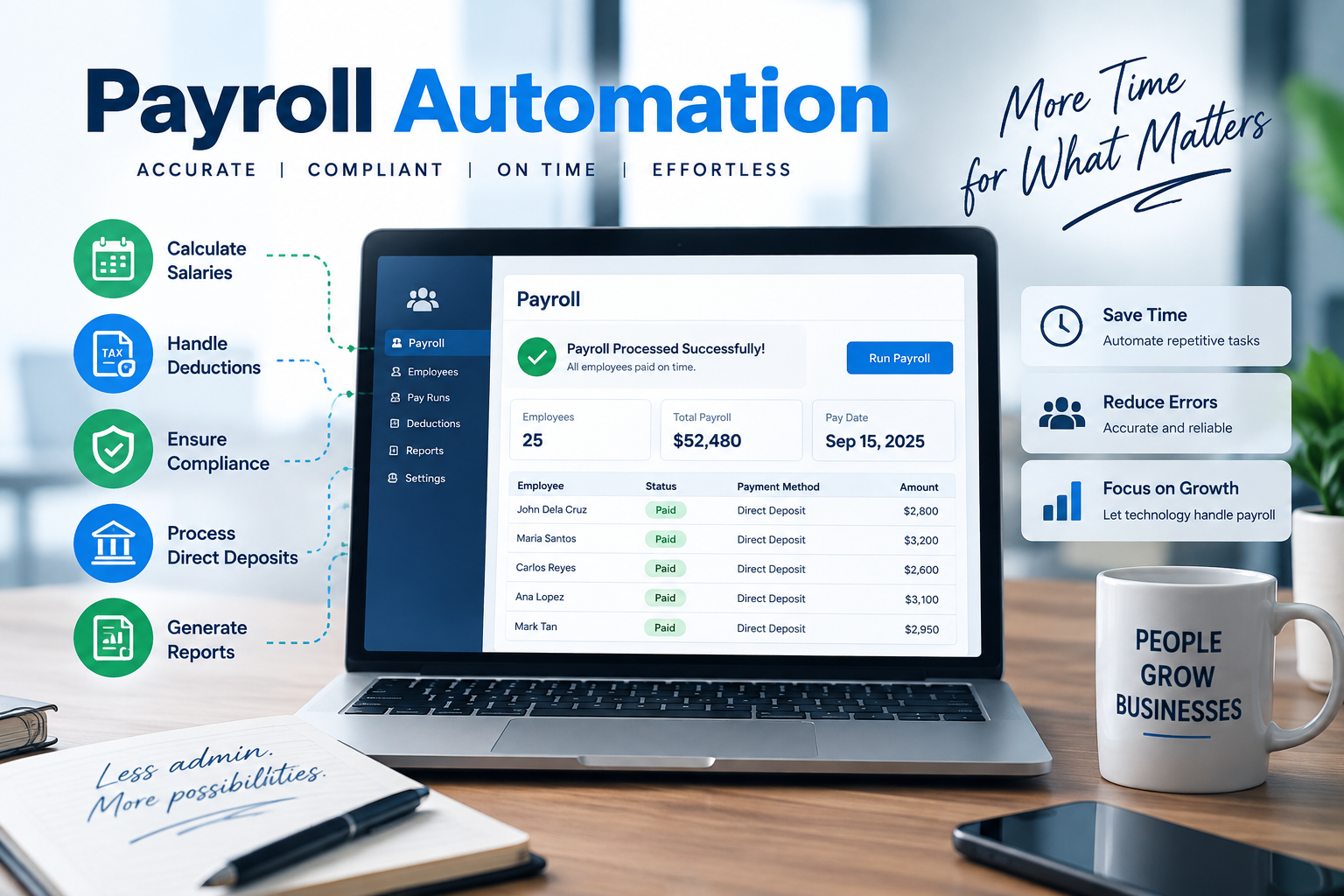
Payroll automation uses integrated software to run repetitive payroll functions that otherwise require manual spreadsheets and re-keying. Key functions include calculating gross-to-net pay, applying tax withholdings, issuing direct deposits, generating pay stubs, and syncing journal entries directly into connected accounting general ledgers.
Automation replaces repetitive manual entry, but it does not remove human oversight. Business owners must still verify variable hours, review pay rate changes, approve final payroll summaries, and ensure employee status updates are accurate before disbursements occur.

Why Do Manual Payroll Processes Fail as Small Businesses Scale?
Manual payroll fails during growth because administrative complexity scales faster than headcount. Managing variable pay rates, shift differentials, state tax withholdings, and benefit deductions across disconnected spreadsheets leads to data entry bottlenecks, delayed paychecks, and accounting discrepancies.
For example, imagine a boutique marketing agency using disconnected tools: an employee enters 45 hours into a standalone time-tracking app. The office manager exports this to a CSV, manually edits late clock-ins, types the numbers into a separate payroll portal, and then key-enters the totals into QuickBooks. If a hourly rate increase of $3/hour was updated in the time tracker but forgotten in the payroll software, the employee gets underpaid by $135. Fixing this requires cutting a manual supplemental check, re-calculating tax withholdings retroactively, and manually adjusting ledger balances in the next pay period—costing hours of administrative recovery work for a single entry error.
Which Specific Payroll Tasks and Workflows Can Be Automated?
Small businesses can automate time collection, gross-to-net calculations, direct deposit transfers, tax withholding submissions, pay stub distribution, end-of-year tax forms (W-2/1099), and accounting system reconciliation. Automating these recurring tasks eliminates manual data transfer between systems.
How Does Automated Time and Pay Tracking Work?
Automated time tracking syncs digital timecards directly with payroll software, automatically calculating regular hours, overtime, and holiday pay based on predefined pay rules. This removes the need to manually collect, retype, or recalculate physical timesheets.
How Are Payroll Calculations Automated?
Payroll engines instantly compute gross pay, federal/state/local tax withholdings, retirement contributions, health insurance deductions, and wage garnishments based on current employee profile settings. Rates update automatically when tax regulations change.
How Do Digital Direct Deposits and Payments Function?
Automated payment processing transfers net pay directly to employee bank accounts via ACH on scheduled pay dates while automatically generating electronic pay stubs accessible via self-service portals.
How Are Payroll Records and Compliance Reports Automated?
Automated systems log every transaction, pay change, and tax deduction in a centralized cloud database, automatically generating payroll summaries, labor cost breakdowns, and compliance reports required for audits and tax filings.
How Does Payroll Sync with Accounting Software?
Integrations sync payroll disbursements directly to general ledger accounts, mapping wages, employer taxes, and benefit liabilities automatically without manual journal entries.
How Is Payroll Tax Administration Automated?
Automated tax features calculate tax liabilities, withhold correct amounts per paycheck, submit electronic payments to government tax agencies, and auto-populate quarterly and annual tax filings (Forms 941, 940, and W-2s).

What Are the Key Business Benefits of Implementing Payroll Automation?
Payroll automation reduces administrative time spent processing payroll by up to 80%, eliminates common manual data-entry errors, ensures timely payroll tax filings, and seamlessly connects labor expenses directly into bookkeeping systems.
Eliminating Double Data Entry Across Systems
Direct system integration ensures employee information, hours worked, and financial totals flow seamlessly between time tracking, payroll, and accounting software, removing duplicate data entry.
Establishing Standardized Payroll Workflows
Automated schedules create predictable, repeatable pay cycles where approvals, calculations, and disbursements follow standardized workflows every pay period.
Preventing Costly Manual Accounting Errors
Eliminating manual spreadsheet formulas and manual re-entry prevents transposed digits, miscalculated overtime rates, and incorrect tax withholdings.
Real-Time Synchronization with Bookkeeping
Automated ledger posting keeps cash flow visibility accurate by immediately recording payroll liabilities, net payouts, and employer tax obligations in financial statements.
Reclaiming Owner Capacity for Strategic Growth
Removing hours of administrative routine frees business owners to focus on core operations, client service, and revenue-generating growth strategy.
How Do You Choose the Best Digital Payroll Software for Your Company?
To select the best payroll software, evaluate system integration capabilities, tax filing coverage, employee self-service features, scalabilty, and total cost structure against your company’s specific staffing model.
Your employees and pay structure. Can the system support the types of employees you have, your pay schedules, and the way you track hours and compensation?
Accounting integration. Can payroll information connect with your accounting system without requiring you to re-enter the same information?
Employee access. Can employees securely access the payroll information and documents the system makes available to them?
Payroll tax support. What calculations, payments, forms, or filings does the provider handle, and which responsibilities remain with your business?
Payroll records. Does the system maintain the payroll information and reports you need to review previous pay periods and support your recordkeeping process?
Corrections and adjustments. What happens when an employee's information changes or a previous payroll needs to be corrected?
Customer support. If you have a question or something does not look right, what kind of assistance is available?
Ability to grow with your business. Can the system continue to support your payroll process if you add employees or your payroll becomes more complex?
Software alone cannot fix poorly defined workflows. Choose tools that align with your operational model rather than adding feature-rich platforms that create extra administrative management.
What Are the Limitations of Standalone Payroll Software?
Payroll automation software processes input data according to configured rules, but it cannot independently audit data accuracy, verify proper worker classifications (W-2 vs. 1099), resolve internal wage disputes, or diagnose mismatched general ledger records resulting from faulty initial setup. While software automates execution, human oversight and expert management remain necessary to ensure full regulatory compliance, account accuracy, and operational integrity.
For example, if an employee moves to a different state and works remotely, payroll software will continue applying old state income tax withholdings until a manager manually changes the tax location profile. Software executes settings; human expertise ensures legal and regulatory compliance.
How Do You Step-by-Step Transition from Manual Payroll to Automation?
Transitioning to automated payroll requires mapping existing workflows, auditing current payroll data, selecting integrated software, configuring tax and general ledger parameters, and running parallel testing before going live.
Review how you currently run payroll. Write down what happens from the time employee hours or pay information is collected until payroll is processed and recorded in your accounting system. Include the spreadsheets, software, emails, or other tools involved.
Identify repeated manual work. Look for information you enter more than once, calculations you repeat every pay period, and places where you regularly have to compare information between systems. These are often the best places to start automating.
Confirm your payroll information. Before moving information into a new system or connecting existing tools, review employee details, pay rates, deductions, payroll schedules, and other information used to process payroll. Automating inaccurate information will not correct the underlying problem.
Decide what you want to automate. You may want to automate time tracking, payroll calculations, direct deposits, reporting, accounting entries, or certain payroll tax administration tasks. The options available will depend on the software or payroll service you choose.
Connect payroll with the rest of your financial process. If your payroll system integrates with your accounting software or other tools, make sure those connections are configured appropriately so information is recorded where you expect it to be.
Test the process before relying on it. Review calculations, employee information, payment details, reports, and accounting entries as you transition. This gives you an opportunity to identify setup problems before they become part of your regular payroll process.
Continue reviewing payroll after automation. Once the system is running, periodically review the process and update it when employees, compensation, benefits, software, or other payroll details change.

When Should You Use Managed Payroll Services Instead of Software Alone?
You should consider managed payroll services over standalone software when administrative management, multi-state tax filing, high turnover, or complex compensation structures exceed internal staff capacity. Managed payroll services combine modern software with dedicated specialists who handle data verification, compliance oversight, tax reconciliation, and employee support, fully removing the operational payroll burden from internal business owners.
For example, your employees may track their hours in one system while payroll is processed in another. After payroll runs, the totals still need to make their way into your accounting records. If something does not match, you are the person opening each system, comparing the numbers, and figuring out where the difference started.
In that situation, the software may be working exactly as intended. The problem is that you have become the connection between systems that do not fully work together.
You may want to consider payroll help if situations like these are becoming routine:
An employee’s hours change, but the update does not make it into payroll before processing.
A new pay rate is updated in one place but missed somewhere else.
Payroll is complete, but the accounting records do not match the payroll report.
You regularly copy information from one system into another.
A correction from a previous payroll creates additional work in the next pay period.
You spend time checking multiple systems because you are not confident they contain the same information.
Even with good payroll software, someone still needs to maintain employee information, review changes, check the results, and address questions when they arise. If you are repeatedly acting as the person who keeps every part of the process connected, the issue may be less about needing better software and more about needing a better payroll process.
Professional payroll support does not necessarily replace your software. It can help manage the work surrounding it so fewer payroll responsibilities depend on you personally every pay period.
When Is Standalone Payroll Software Sufficient for Small Businesses?
Standalone software is sufficient when a business has a small, salaried staff with fixed pay, simple single-state tax requirements, and an internal manager capable of overseeing system settings and quarterly reviews.
When Should You Upgrade to Managed Payroll Support Services?
Managed payroll services are recommended when a business operates across multiple states, manages high turnover or complex commission structures, lacks internal payroll expertise, or repeatedly encounters tax filing notices and reconciliation errors.
Frequently Asked Questions About Small Business Payroll Automation
Can payroll be 100% automated without human oversight?
No, payroll cannot run completely without oversight. While calculations and transfers are automated, human verification is required for onboarding, variable hours, rate adjustments, and final payroll authorization.
Which payroll tasks can small businesses automate immediately?
Small businesses can immediately automate wage calculations, tax withholdings, direct deposits, journal entry posting, and digital pay stub delivery using modern payroll software.
How does payroll automation reduce tax filing errors?
Payroll automation reduces tax errors by continuously applying updated federal, state, and local tax tables, automatically calculating liabilities per pay period, and generating accurate electronic tax filings.
Does payroll software automatically handle state and federal tax filings?
Full-service payroll software handles state and federal tax filings automatically, whereas self-service software only calculates taxes and leaves filing submission responsibilities to the business owner.
Do you still need an accountant if you use automated payroll software?
Yes, an accountant is still recommended to manage complex tax strategy, conduct financial reconciliations, and handle edge-case payroll issues that software tools cannot independently diagnose.
Evaluate Your Payroll Workflow Efficiency
Automating repetitive tasks is essential, but technology must align with your actual operational workflows. If your team is still manually transferring data, reconciling mismatched reports, or struggling with pay rate corrections, your current process may benefit from an operational workflow assessment.
A comprehensive evaluation helps pinpoint bottlenecks across time tracking, calculation verification, tax filings, and accounting syncs to determine where software integrations or managed support can save hours each pay period.
Trustway Accounting offers payroll workflow assessments and support services tailored for growing small businesses looking to eliminate manual inefficiency.
Request a Payroll Workflow Efficiency Assessment